
How to install Government Context
Install Government Context in any MCP client. This hub covers the setup for each one, starting with connecting the free MCP server to ChatGPT in the desktop app and on the web.
Government Context runs one MCP server, and any MCP client can connect to it. The address is the same everywhere:
https://mcp.governmentcontext.com
What changes from client to client is where you paste that address. This page collects the setup for each one. Start with the section for the tool you use.
How to connect Government Context to ChatGPT
Add Government Context as a custom MCP server in ChatGPT, then sign in to a free Government Context account to authorize it. Setup takes about five minutes and no credit card. The steps differ between the desktop app and the web, so follow the one that matches how you run ChatGPT.
One thing to check on the ChatGPT side first: custom MCP connectors are a paid-plan feature (Plus, Pro, Business, Enterprise, or Edu), not part of the free ChatGPT tier. If you don't see the settings described below, that is usually why. The Government Context account itself stays free.
In the ChatGPT desktop app
-
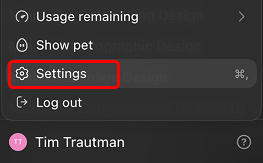
Open your account menu at the bottom of the sidebar and click Settings.
-
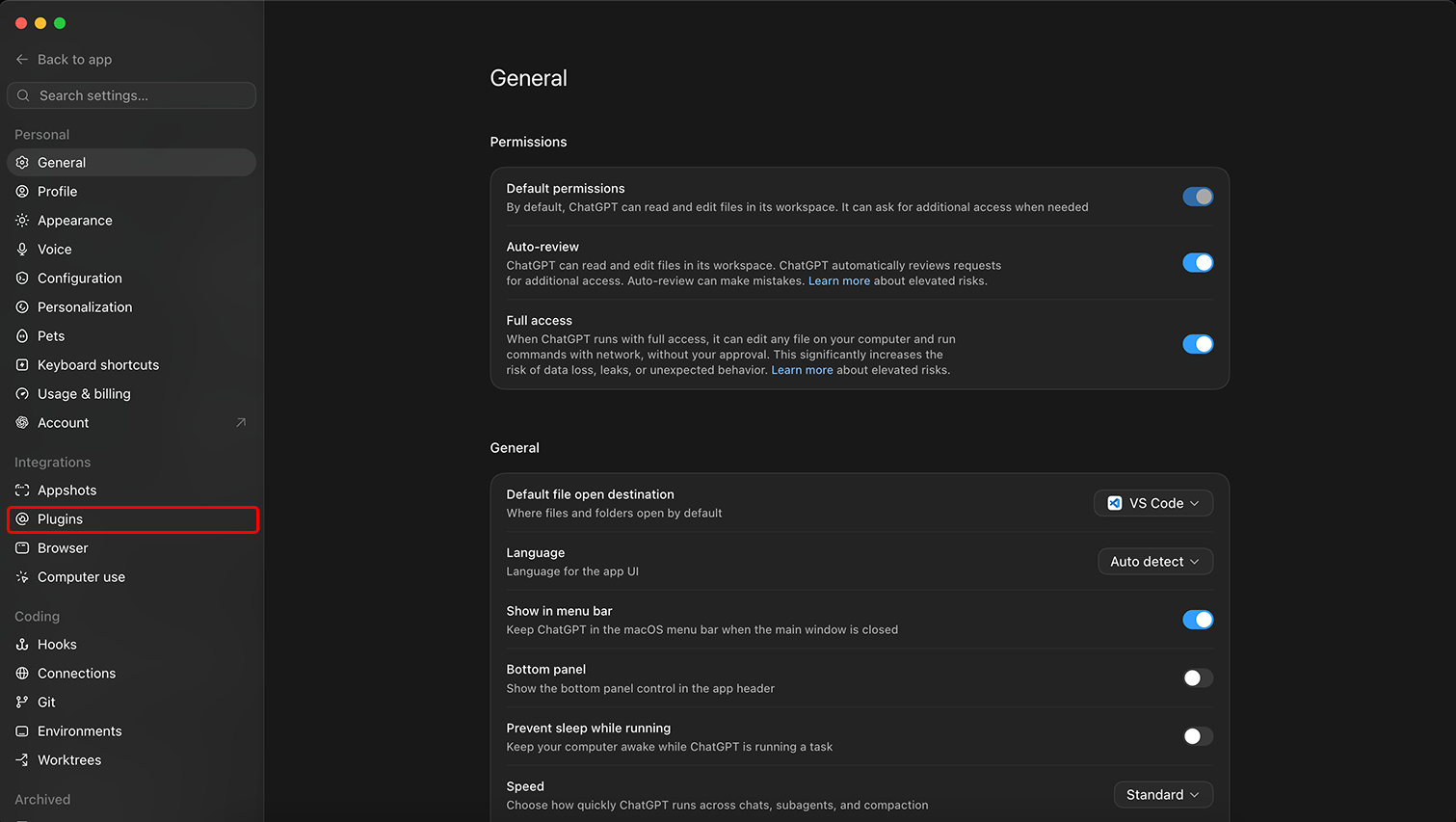
In the Settings sidebar, find the Integrations group and click Plugins.
-
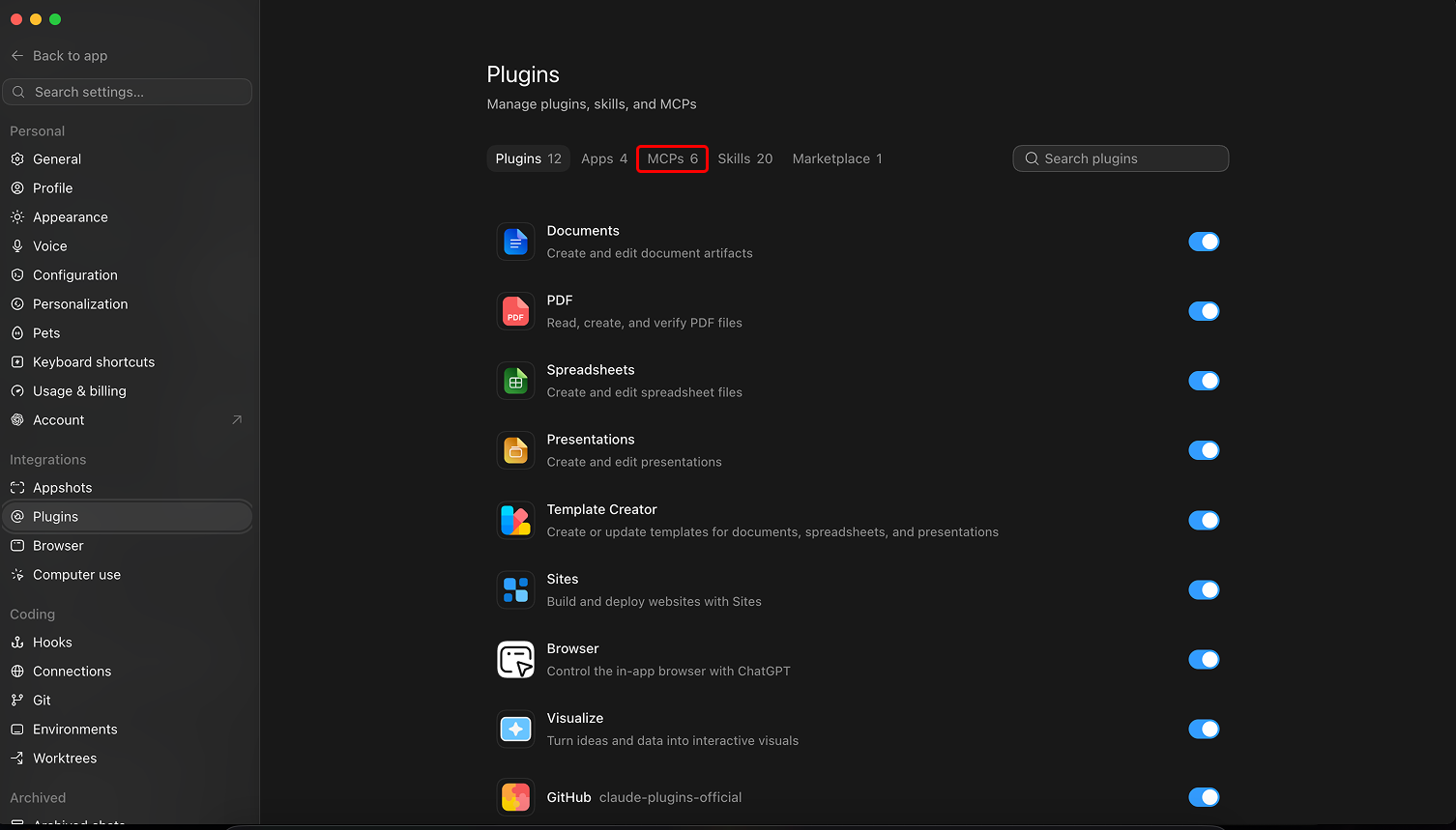
On the Plugins screen, open the MCPs tab.
-
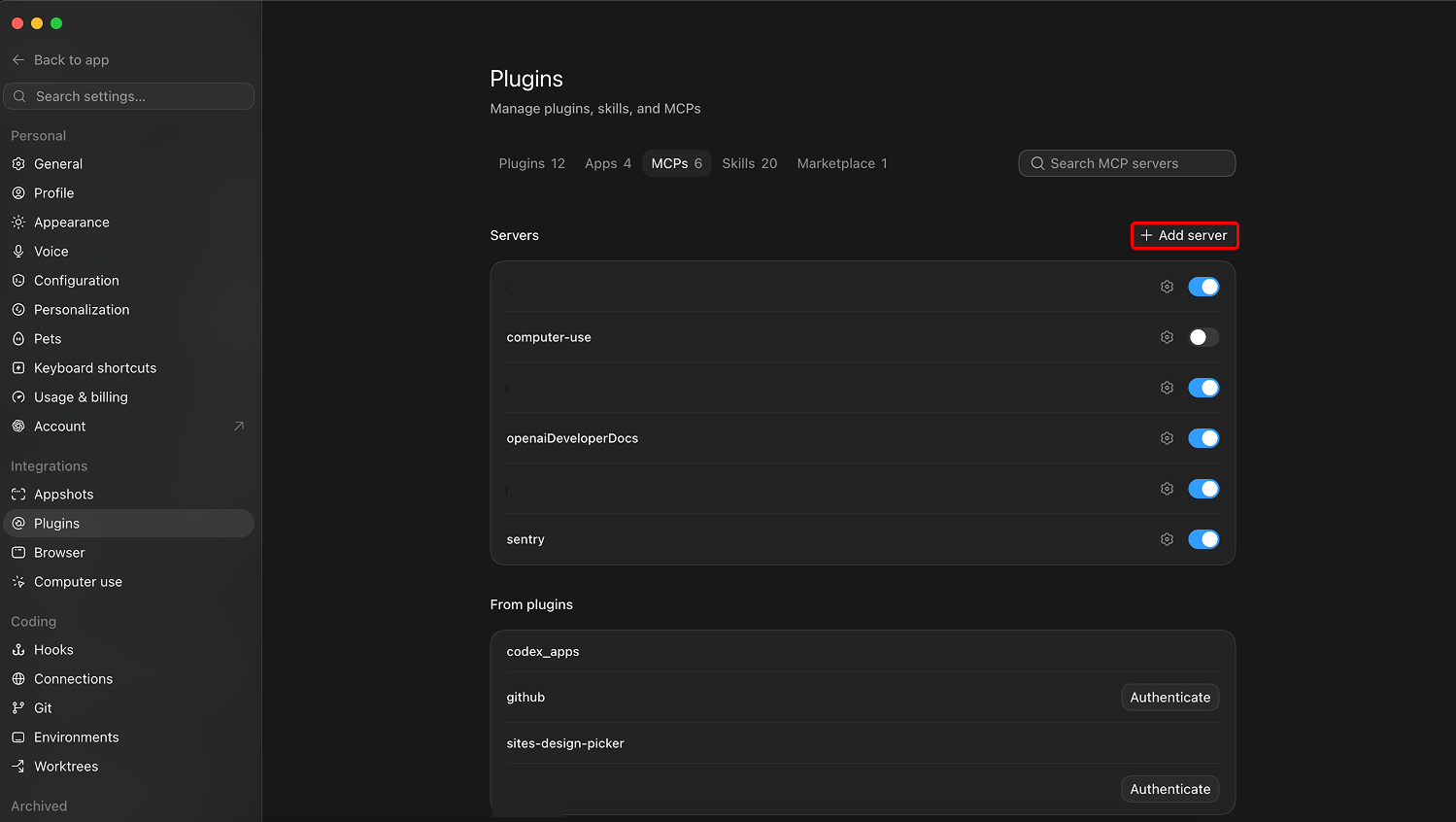
Under the Servers heading, click Add server.
-
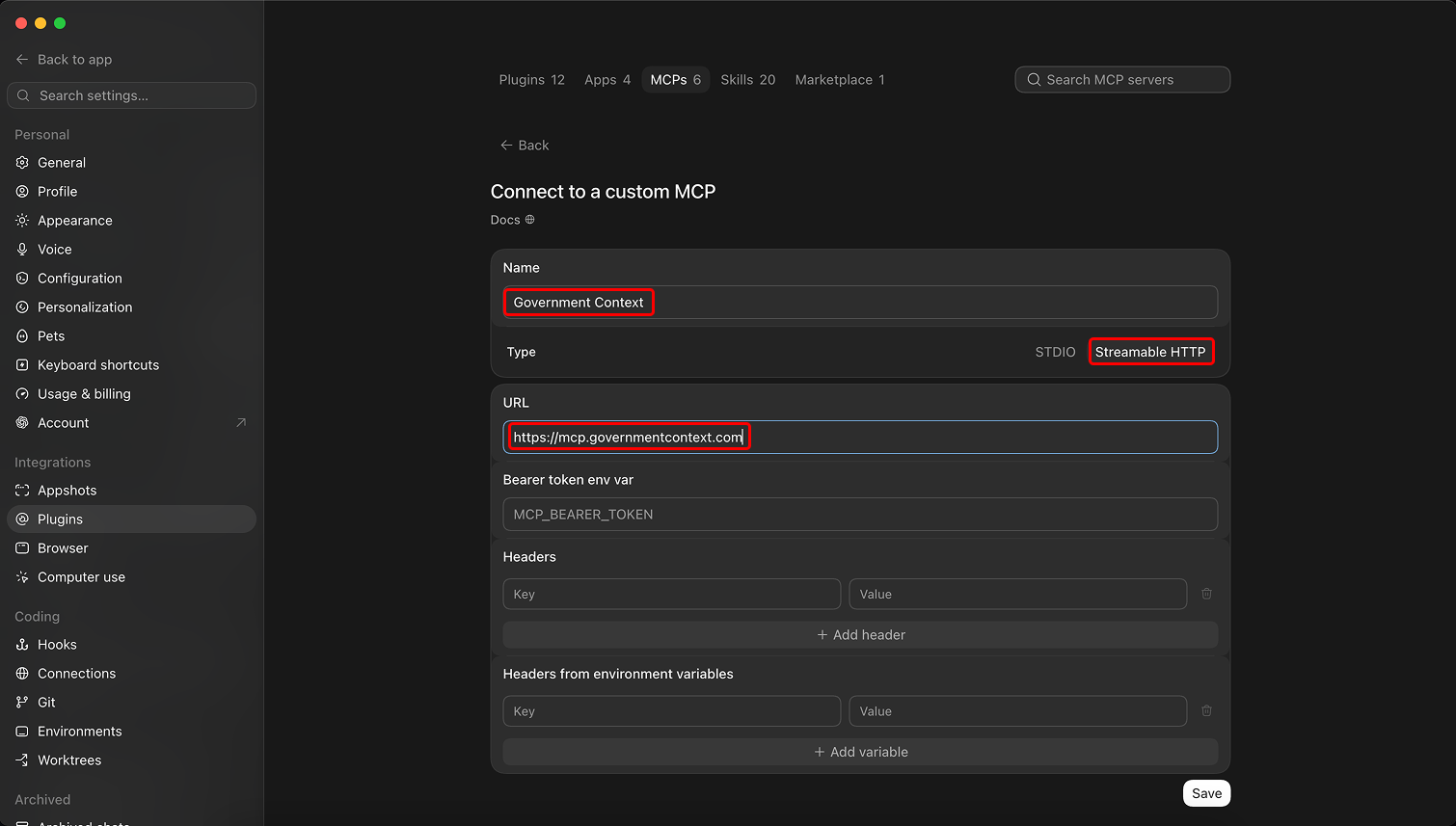
Fill in the "Connect to a custom MCP" form, then click Save:
- Name:
Government Context - Type:
Streamable HTTP(not STDIO) - URL:
https://mcp.governmentcontext.com - Leave the bearer token and the header fields empty. You sign in through your browser in the next step, so there is no token to paste here.
- Name:
-
The server now shows up in your list as
government_context. Click Authenticate to sign in and approve access.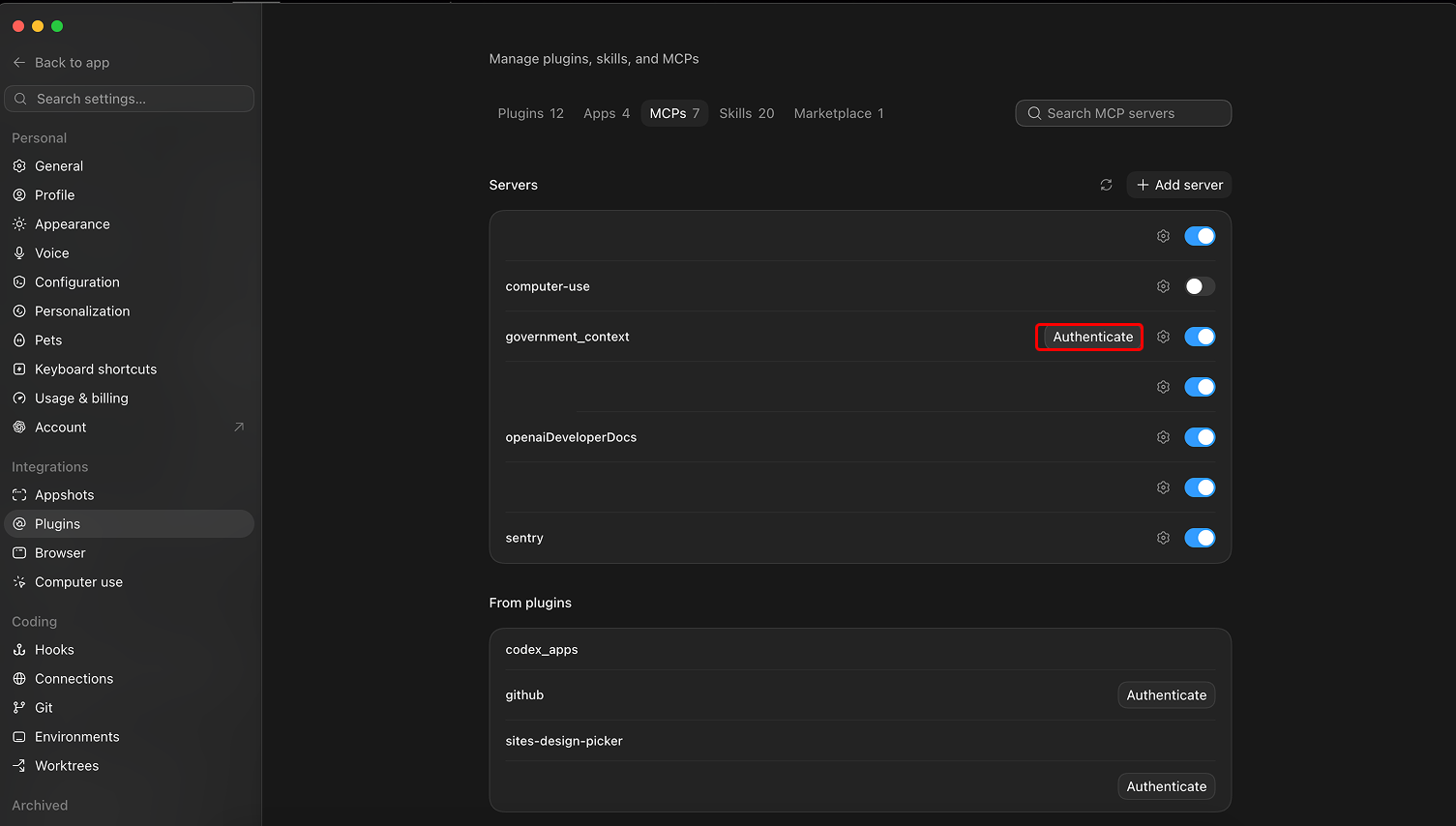
Clicking Authenticate starts the sign-in step covered under Create your Government Context account and authorize the connection below.
On the web at chatgpt.com
ChatGPT on the web keeps the same feature in a different place and reaches the full tool set through developer mode. The short version:
- Open Settings, then Connectors.
- Under Advanced, turn on Developer mode. On Business, Enterprise, and Edu workspaces, an admin may need to allow custom connectors first.
- Back on the Connectors screen, click Create (or Add custom connector).
- Name it
Government Context, pastehttps://mcp.governmentcontext.com, and save. - ChatGPT opens the browser sign-in step described below.
For the full web walkthrough, including why developer mode matters and how it differs from the search-only connectors ChatGPT uses for deep research, see Connect ChatGPT to federal regulatory data via MCP.
Create your Government Context account and authorize the connection
Whichever platform you used, the last step is the same handshake. Clicking Authenticate in the desktop app, or finishing the connector on the web, opens your browser to sign in to Government Context.
- If you already have a Government Context account, sign in.
- If you don't, create one. New accounts start on the free tier, and you don't need a card.
- Approve access for ChatGPT. This runs over OAuth, so ChatGPT receives a scoped token and you never copy or paste one yourself.
Once you approve, the connector shows as connected and ChatGPT can call the Government Context tools whenever a question needs them. Start a new chat and ask something like "which trade associations oppose the FMCSA broker-transparency rule, and what are they arguing?"
The free tier is enough to try all of this. It covers search, rule and bill details, comment reading, the comment-corpus overview, and basic filters, on data up to one release cycle behind (public comments become visible after seven days). For the deeper analytics and the full walkthrough of what each tool does, see the ChatGPT connection guide.
Start tracking the rules that matter to you
Browse the full rulemaking record for free, or unlock the comment Explorer and alerts on your documents, topics, and agencies.